
Create Community
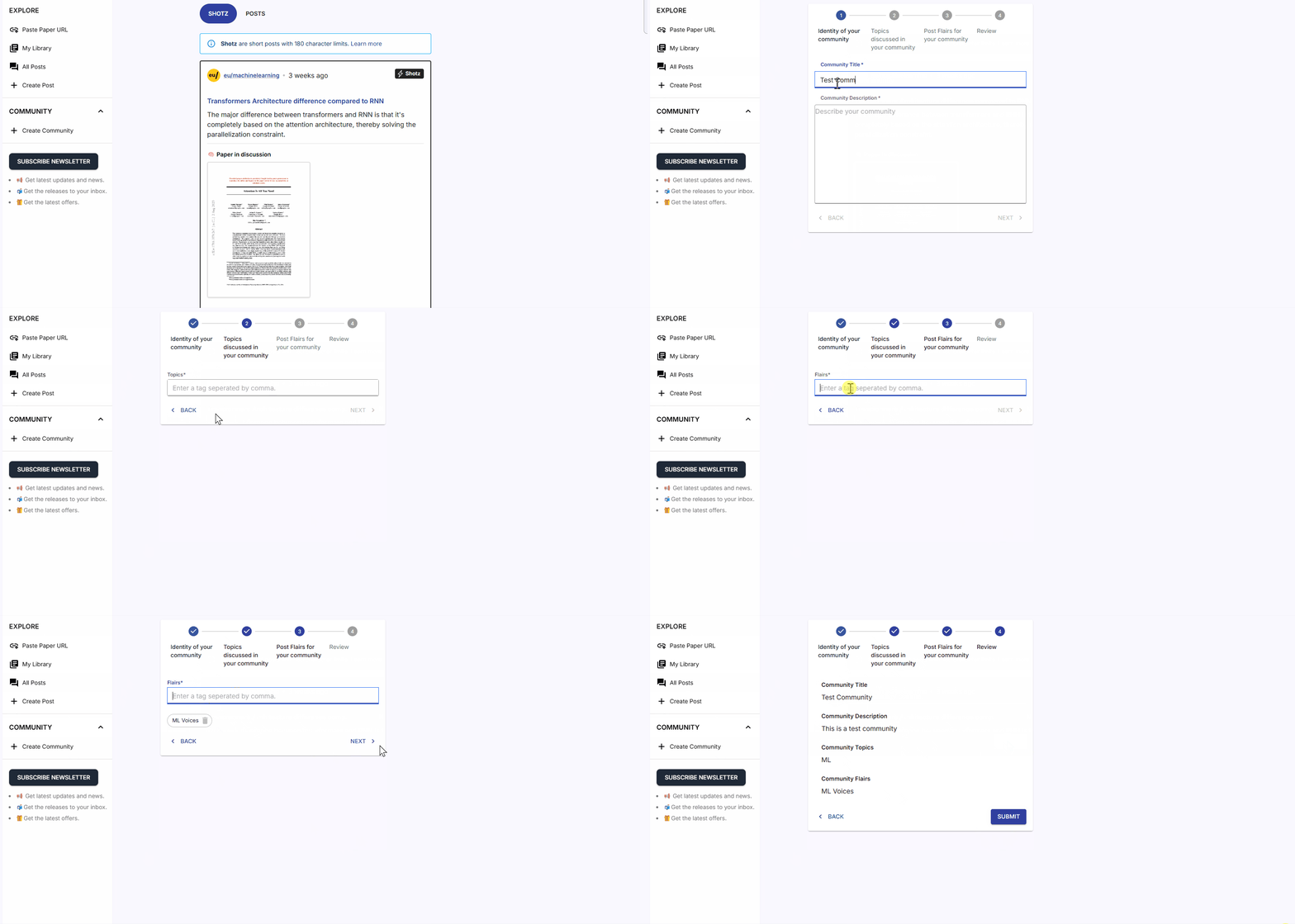
You’re No Longer Waiting for a Community — You’re Building One
Section titled “You’re No Longer Waiting for a Community — You’re Building One”Creating a community allows you to:
- group discussions around your field
- attract researchers working on similar topics
- curate high-quality insights
- grow a circle of peers who support each other
- build a long-term academic presence
Your community becomes a living knowledge hub, shaped entirely by your vision.
🛠️ Steps to Create a Community
Section titled “🛠️ Steps to Create a Community”- Click Create Community on the left sidebar inside the EurekAI Forum.
- A form will appear with guided steps.
- There are 4 simple steps to set up your community.
⭐ Step 1: Identity of Your Community
Section titled “⭐ Step 1: Identity of Your Community”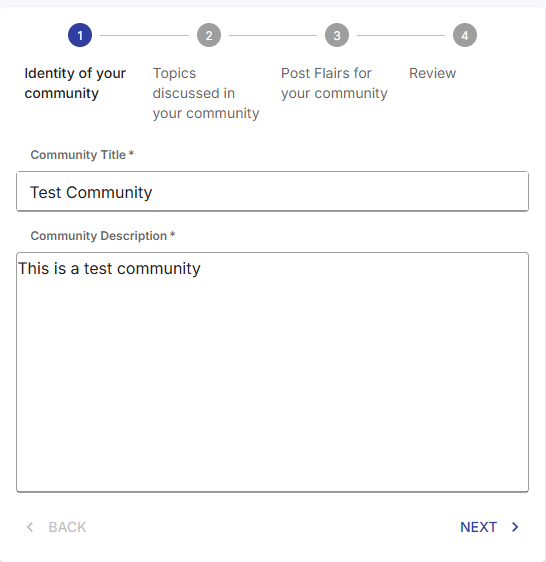
-
Community Title:
Write the name of your community.
(Keep it clear so researchers instantly understand the topic.) -
Community Description:
Write a short description—this appears in your community’s sidebar.💡 Tip: EurekAI’s search algorithm uses keywords from this description to help users discover your community.
⭐ Step 2: Topics Discussed in Your Community
Section titled “⭐ Step 2: Topics Discussed in Your Community”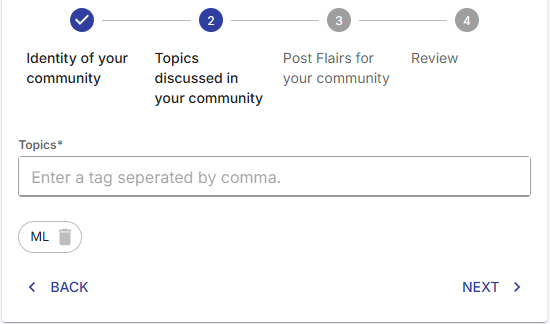
- Topics:
Add multiple topics that your community will cover.
These help EurekAI categorize and boost your community’s visibility.
(Think: “Machine Learning,” “Quantum Biology,” “Research Methodology,” etc.)
⭐ Step 3: Flairs for Your Community
Section titled “⭐ Step 3: Flairs for Your Community”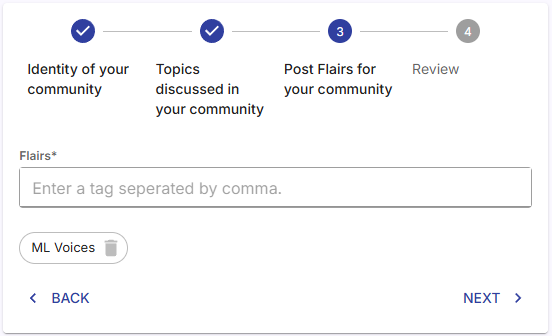
- Flairs:
Flairs are tags used to group and filter posts.
Create custom flairs based on your community’s structure.
This makes it easier for members to find posts quickly.
⭐ Step 4: Review & Submit
Section titled “⭐ Step 4: Review & Submit”- Review all details you’ve added.
- If everything looks correct, click Submit.
- 🎉 Your community is created!
You can now begin posting, inviting members, and building engagement.